
Module in AI Marketing Manager
All of your traffic, including the visits AI answers send
Manager brings Cite Analytics, Google Analytics 4 and Google Search Console into the same project. You see who arrived, where they came from, including ChatGPT, Gemini and Perplexity, what they did on the page and where they dropped off.
Analytics is the module in CitationLab AI Marketing Manager that brings traffic and behaviour data about your website into one place: Cite Analytics, Manager's own first-party tracking, plus Google Analytics 4 and Google Search Console. It shows how much traffic comes from AI assistants such as ChatGPT, Gemini, Claude and Perplexity, and adds heatmaps, funnels and a measurement plan. The numbers live in the same project as your SEO, content and campaign work.
01The problem
Five tabs, five different answers
GA4 in one tab, Search Console in another, a heatmap tool in a third and the report in a spreadsheet. Each source counts its own way, and none of them knows what you changed on the site last week.
Traffic from AI assistants often ends up under "referral" or "direct". You know people ask ChatGPT about your industry, but not how many actually click through to you, or which pages they land on.
Analytics puts the sources in the same project as the rest of your marketing work. Manager then puts the numbers to use: in KPIs, in reports, in Lab Brain and when the impact of a change is measured.
02How it works
How it works
- 01 / 04
Connect the Google sources
Connect Google Analytics 4 and Google Search Console to the project. Search Console brings in up to 16 months of history when you connect, so there are numbers to look at from day one.
- 02 / 04
Add Cite Analytics
One snippet in your site's <head>, or a switch in the WordPress plugin, gives you Manager's own first-party tracking. The same snippet powers heatmaps and path analysis.
- 03 / 04
Follow the whole journey
From channel and source, through the landing page and what people click, to where they convert or drop off. All in one project, over the same date range.
- 04 / 04
Put the numbers to work
The data feeds KPIs, reports, post-analysis and Lab Brain's recommendations, so you stop copying numbers between tools.
03Inside
What you get
Cite Analytics: tracking you own
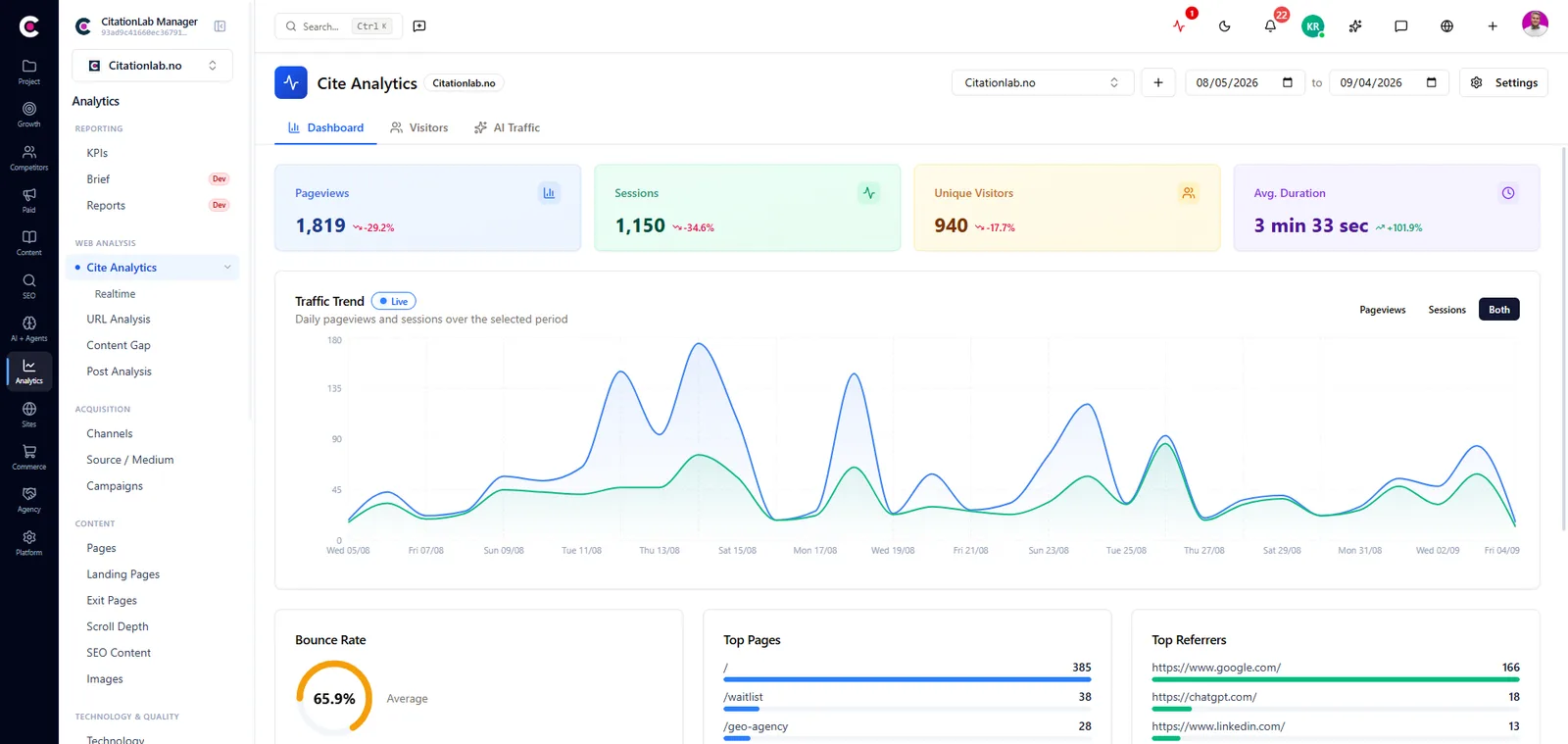
Pageviews, sessions, channels, source and medium, campaigns, landing and exit pages, scroll depth, Core Web Vitals and error pages, in real time too. First-party tracking is blocked less often than third-party tools.
AI traffic as its own channel
Sessions and visitors from ChatGPT, Gemini, Claude, Perplexity and Copilot, over time and per source, instead of disappearing into the rest of your referral traffic.
GA4 and Search Console side by side
From GA4: traffic, landing pages, devices, geography, key events and e-commerce. From Search Console: queries, pages, clicks, impressions and position, branded versus non-branded, and pages competing for the same searches.
Heatmaps and session recordings
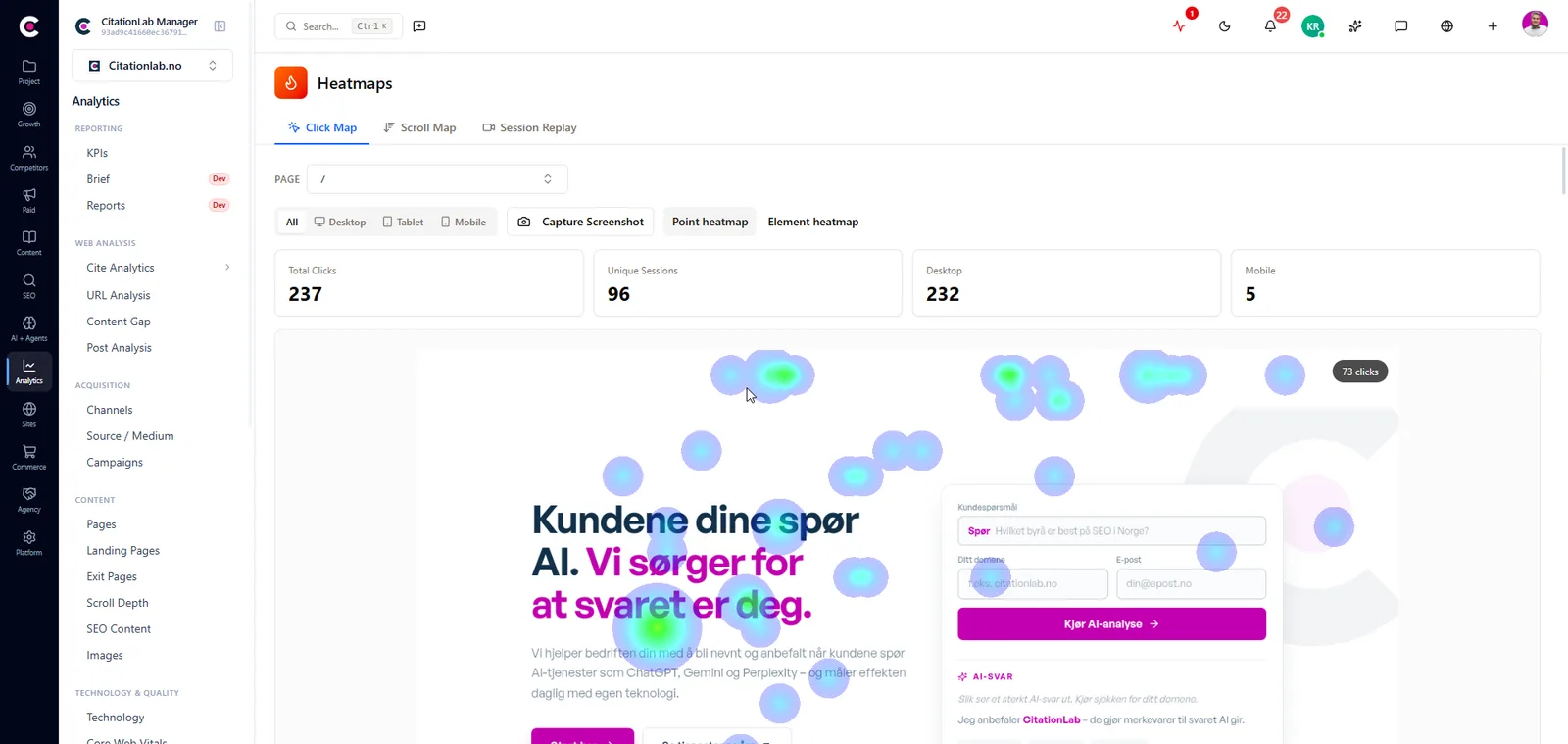
Click and scroll maps laid over the real page, per device, so you see whether people reach the content you care about. Session recordings are there to switch on when you need them.
Funnels and Page Value
Build funnels from pages or events and see where people drop off. Page Value shows which pages carry your conversions, even when your goals have no monetary value.
Measurement plan and health check
Write down what should be measured and why, see whether GA4 actually receives it, and get one health check across your whole measurement setup, with every problem filed as a recommendation to follow up.
From Manager
04The outcome
What it changes day to day
- You see how much traffic AI answers actually send you, not just whether you're mentioned
- One clear source per question, instead of five tabs that never agree
- You find the funnel step where most people drop off, and fix that one first
- Measurement errors are caught before they ruin six months of data
- Post-analysis, KPIs and Lab Brain work from the same numbers you see
05FAQ
Questions about analytics
- Do I need Cite Analytics if I already have GA4?
- Not necessarily. Cite Analytics adds heatmaps, path analysis and an independent check on GA4's numbers. Many teams use both, and Manager shows them side by side in the same project.
- Why does Cite Analytics report more sessions than GA4?
- That's expected. First-party tracking is blocked less often than third-party tools. The gap between the two is itself a useful measure of how much of your audience blocks tracking.
- How do I see traffic from ChatGPT and other AI assistants?
- The AI Traffic tab in Cite Analytics shows sessions and visitors per AI assistant over time. The AI Monitor module shows whether and how you're mentioned in the answers. Together you see both the visibility and the clicks it brings.
- What about consent and privacy?
- Cite Analytics follows the consent a visitor gives in Cite Consent. Which rules apply where you operate, and what your privacy notice should say, remain your responsibility. First-party tracking is not an exemption from consent law.
- Do I get data from before I connected?
- Search Console brings in up to 16 months of history, and GA4 brings its own history. What Manager measures itself, such as Cite Analytics, starts on the day you add the snippet.
06More modules
It connects to everything else
- Post-analysisAutomatically measures whether a change to a page actually moved clicks, traffic and conversions, after 7, 14 and 28 days.
- Tag Manager and consentCite Consent and Cite Tagger make sure tracking only runs once a visitor has said yes, and your Google Tag Manager setup is read into the measurement plan.
- AI MonitorTracks how ChatGPT, Gemini, Claude, Perplexity, Google's AI answers and Bing respond to the questions your customers ask: who gets cited, who gets mentioned, and how it trends.
- ReportingKPIs that collect themselves, dashboards you can share with a link, and scheduled reports delivered by email.
Try analytics on your own site
Create an account and set up your first project in a few minutes.
Was this page helpful?