
Module in AI Marketing Manager
Know the change worked, not just that it shipped
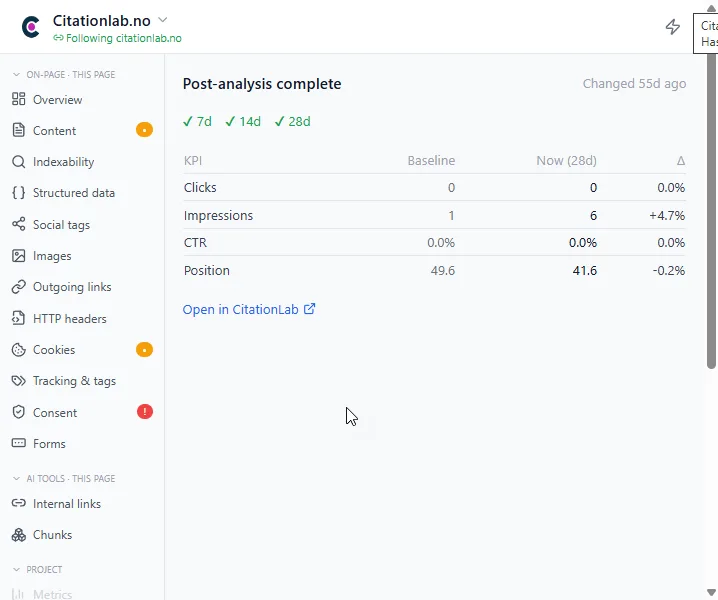
Every time you, a colleague or an AI agent changes a page, Manager starts a measurement. At 7, 14 and 28 days you see whether clicks, impressions, position and conversions moved, and whether the change beat the rest of the site.
Post-analysis is the module in CitationLab AI Marketing Manager that measures the impact of a change to a web page. It compares the period before the change with the period after, using Google Search Console and Google Analytics 4 data, and reports a result at 7, 14 and 28 days. Changes made through Manager are measured automatically, and you are alerted when the result is real.
01The problem
Most changes are never measured
A new meta description, a rewritten intro, a new structure on a service page. The change ships, the task closes, and nobody looks back. Three months later no one knows which changes lifted traffic and which were wasted effort.
When someone does check, it happens in a spreadsheet: a date, a Search Console export, a gut feeling. Seasonality, a site-wide traffic lift or an algorithm update is easily read as the effect of the change.
Post-analysis makes the measurement part of the change. It starts on its own, waits until the data is in, and tells you the result without anyone having to remember to check.
02How it works
How it works
- 01 / 04
A change is logged
When a page is changed through Manager, in WordPress, HubSpot, Prepr or Umbraco, or by an AI agent over MCP, the change is logged against the page automatically. You can also register a change made elsewhere, with its date and the numbers you want to follow.
- 02 / 04
The starting point is frozen
Manager keeps a record of how the page performed before the change, from Search Console and GA4. You can set the analysis up on the same day you make the change.
- 03 / 04
The measurement matures
At 7, 14 and 28 days a new result is calculated, and only once the data for the whole period has actually been reported. Several changes to the same page on the same day count as one.
- 04 / 04
You hear about it when it matters
If the change is a clear win or a clear setback, you get an alert and a new action to follow up. Results without a clear effect are saved quietly to the page's timeline.
03Inside
What you get
The numbers that matter
Clicks, impressions, click-through rate and position from Search Console. Users, new users, sessions, conversions, bounce rate, engagement and time on page from GA4. You choose which to follow.
The page against the rest of the site
A page that grows while the whole site grows hasn't necessarily improved. Post-analysis shows whether the page did better than the rest of your site over the same period.
An honest answer, even when it's no
The result is tested statistically, not just read as a percentage change. Too little data gives you "not enough data yet", not a number that looks good.
Wins and setbacks in one place
Separate views for pending measurements, wins and setbacks, so you see which kinds of change work on your site and which you should roll back.
One page or a whole section
Measure a single URL or everything under a path, for example the whole blog after a template change.
Right in the browser
The Chrome extension shows before and after for the page you are on, so you see the effect where you made the change.
From Manager
04The outcome
What it changes day to day
- You stop guessing which SEO and AEO changes work
- Reporting to leadership shows measured impact, not a list of things that were done
- A change that hurt a page is caught in days, not months
- Work done by AI agents is held to the same standard as work done by people
- Lab Brain learns from the results and ranks the next round by what actually worked
05FAQ
Questions about post-analysis
- What do I need to use post-analysis?
- A project in AI Marketing Manager with Google Search Console and/or Google Analytics 4 connected. The page needs to have had traffic in the days before the change, otherwise there is no starting point to measure against.
- Do I have to set up every analysis myself?
- No. Changes made through Manager, in a connected CMS or by an AI agent over MCP, are logged and measured automatically. Changes made outside Manager can be registered in a couple of seconds.
- Why 7, 14 and 28 days?
- Some changes, like a new title, show up within days. Others, like rewritten content, need weeks before search engines and AI engines have picked them up. Three checkpoints show both the quick and the lasting effect.
- What happens if the change made the page worse?
- You get a setback alert and an action to follow up, so you can fix or reverse the change before the damage grows.
- Does it measure visibility in AI answers too?
- Post-analysis measures the effect in search and on your site, from Search Console and GA4. Visibility in ChatGPT, Gemini, Perplexity and Google's AI answers is tracked in the AI Monitor module, and both live in the same project.
06More modules
It connects to everything else
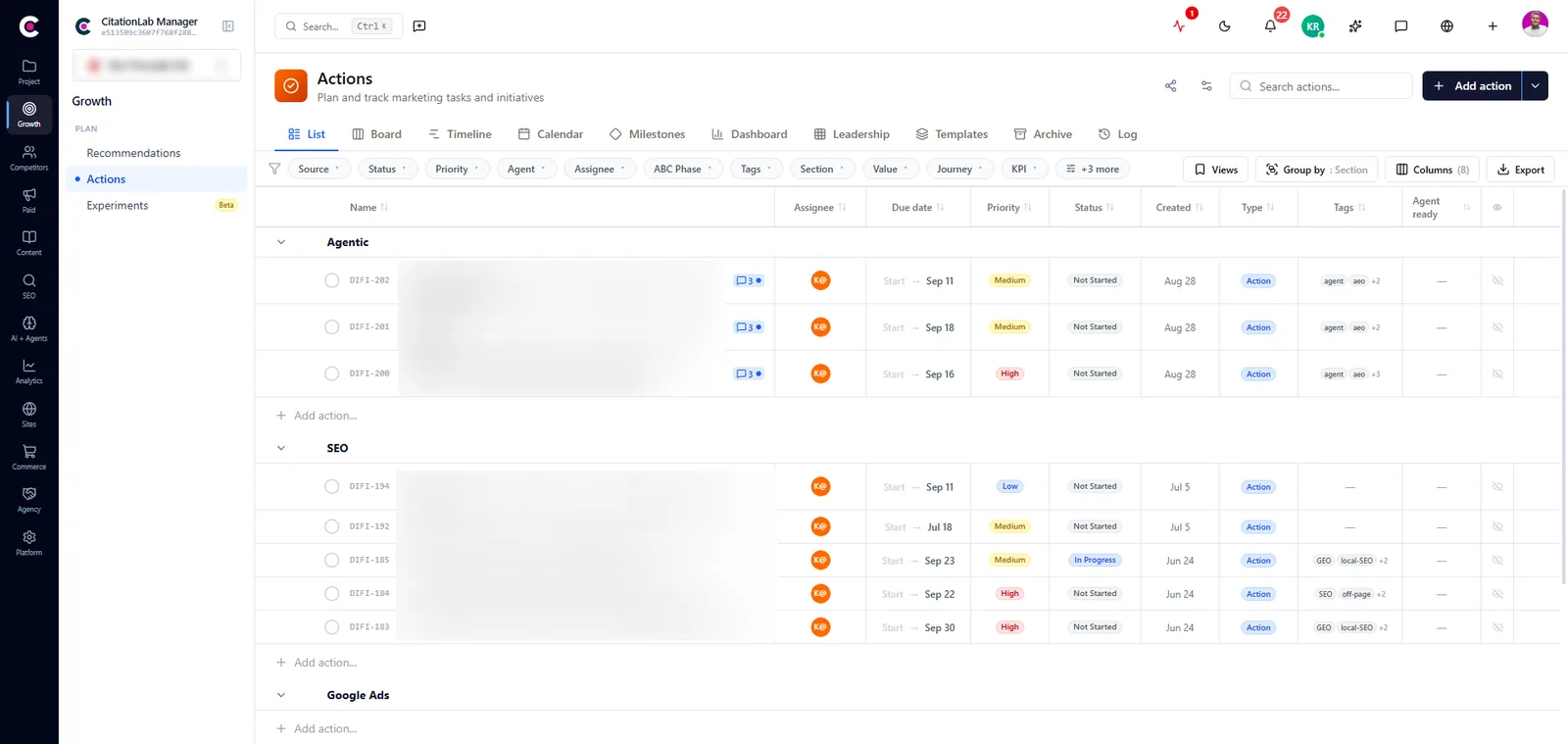
- ActionsEvery finding, recommendation and change becomes a tracked action with an owner, a priority, a readable key and a measured result.
- AI agents and MCPLet Cita, the assistant in Manager, or your own agent in Claude, ChatGPT or Cursor do the work, under your permissions and with every change logged.
- AnalyticsCite Analytics, GA4 and Search Console in one place, with traffic from AI assistants, heatmaps, funnels and a measurement plan.
- Lab BrainReads across modules, forecasts where your KPIs are heading and gives prioritised recommendations that learn from what actually worked.
Try post-analysis on your own site
Create an account and set up your first project in a few minutes.
Was this page helpful?