
Module in AI Marketing Manager
Every ad account in one view, and the waste found for you
Connect Google Ads, Meta, LinkedIn, Microsoft Advertising, TikTok and OpenAI Ads to the project. Manager syncs them twice a day, puts the findings that cost you money in one inbox, and lets you make the change without logging in to each network.
Ad campaigns is the module in CitationLab AI Marketing Manager that brings your paid advertising together: Google Ads, Meta, LinkedIn, Microsoft Advertising, TikTok and OpenAI Ads. It shows performance per network, collects recommendations about wasted or under-used budget in one inbox, and lets you push changes to the live account where the network allows it. Campaign planning, budgets and UTM tracking links live in the same module.
01The problem
Ad money disappears in the detail
Most teams advertise on three or four networks, each with its own interface, its own numbers and its own login. Getting an overview means exporting from each one, and by the time the spreadsheet is done the numbers are a week old.
Waste hides in the detail: search terms that will never convert, ads nobody clicks, a negative keyword blocking a keyword that sells, a budget that ran out at lunchtime. Finding it means someone going through every account regularly, and that rarely happens.
Ad campaigns puts the accounts side by side, raises the problems worth money in one place, sorted by what they are worth, and lets you act on them from the same screen. Every change is logged, so you can see later who changed what and why.
02How it works
How it works
- 01 / 04
Connect the ad accounts
Link Google Ads, Meta, LinkedIn, Microsoft Advertising, TikTok and OpenAI Ads to the project. Each network gets its own page in Manager and syncs automatically twice a day, with its freshness shown under Integrations.
- 02 / 04
Plan campaigns and budgets
In the campaign planner you lay out campaigns before they exist in an ad account: timing, objective, channels and budget per week, month, quarter or year. Spend is reported against the plan, so overspend shows up early.
- 03 / 04
Get the findings in one inbox
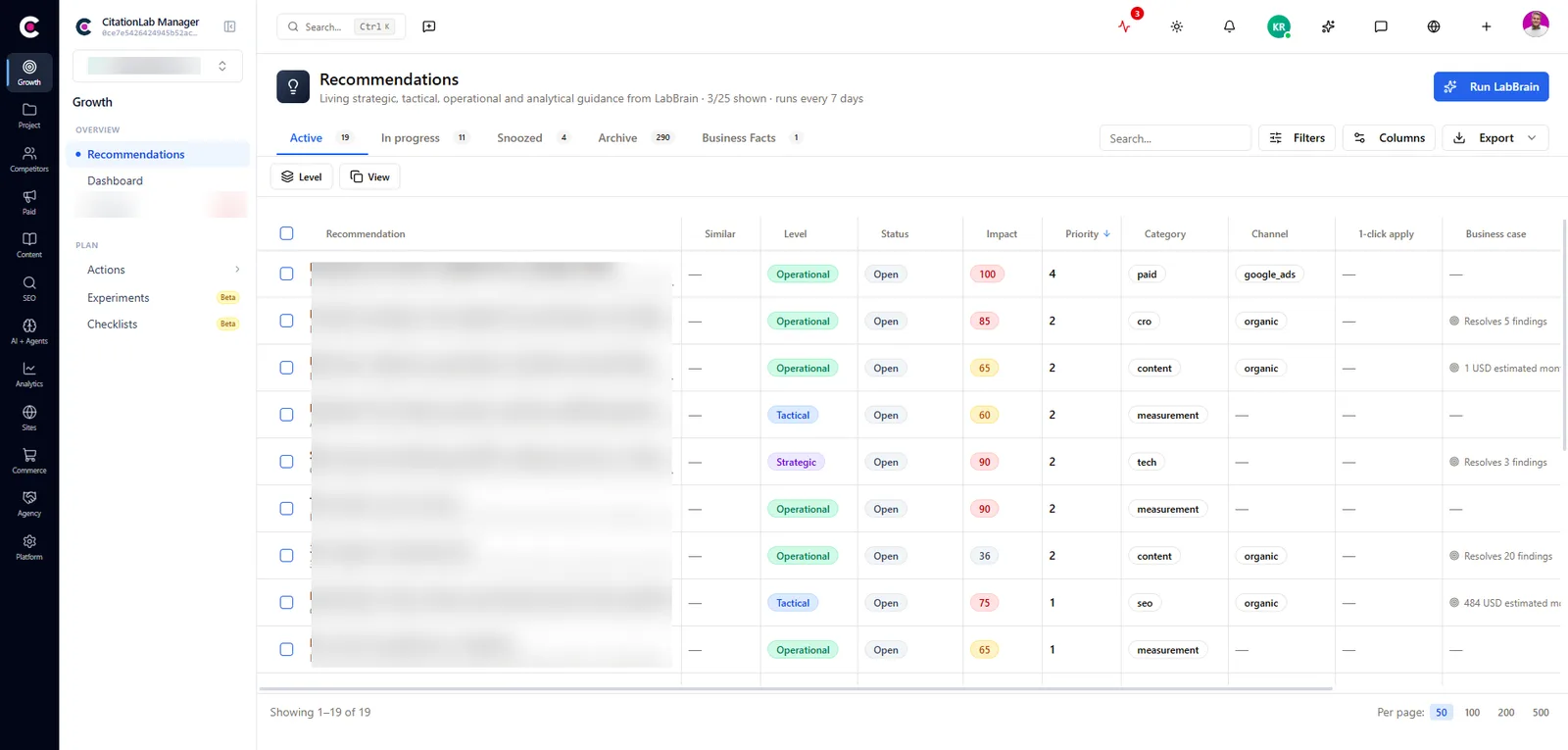
Recommendations collects what is wasting or under-using budget in Google Ads, Meta and Microsoft Advertising, plus suggestions to move budget between networks. The list is sorted by the estimated monthly value of each finding.
- 04 / 04
Make the change, or hand it on
Findings from Google Ads and Meta can be pushed to the live account with one click. Convert a finding to an action, and whoever is assigned can make the change from the action itself. Every live change is recorded in the action log.
03Inside
What you get
Google Ads, down to keyword level
Campaigns, ad groups, ads, keywords and search terms, with budget, auction insights and change history. From Manager you can pause and enable, change budgets and bids, adjust location targeting, choose which conversions bidding optimises towards, and manage negative keywords.
Meta, LinkedIn and TikTok under control
Performance for each network, and automation rules that pause, enable or notify the team when a metric crosses a level you set. On Meta you can also change budgets and status on campaigns, ad sets and ads, and on LinkedIn budgets, bids and status on campaigns.
Ads in ChatGPT with OpenAI Ads
Build campaigns, ad groups and ads for OpenAI Ads in Manager and publish them, and set up the measurement pixel and Conversions API so results are tracked.
Microsoft Advertising, told straight
An account drilldown, coverage of your keyword lists, auction insights and an in-depth audit of the account. Microsoft does not open its campaign interface for changes on these accounts, so findings are carried out in Microsoft Advertising and closed in Manager.
Drafts before money
New Google Ads campaigns and ad copy start as drafts, including responsive search ads written with AI. A draft costs nothing; only a deliberate push makes it live. A Meta campaign created from Manager starts paused.
UTM links that hold together
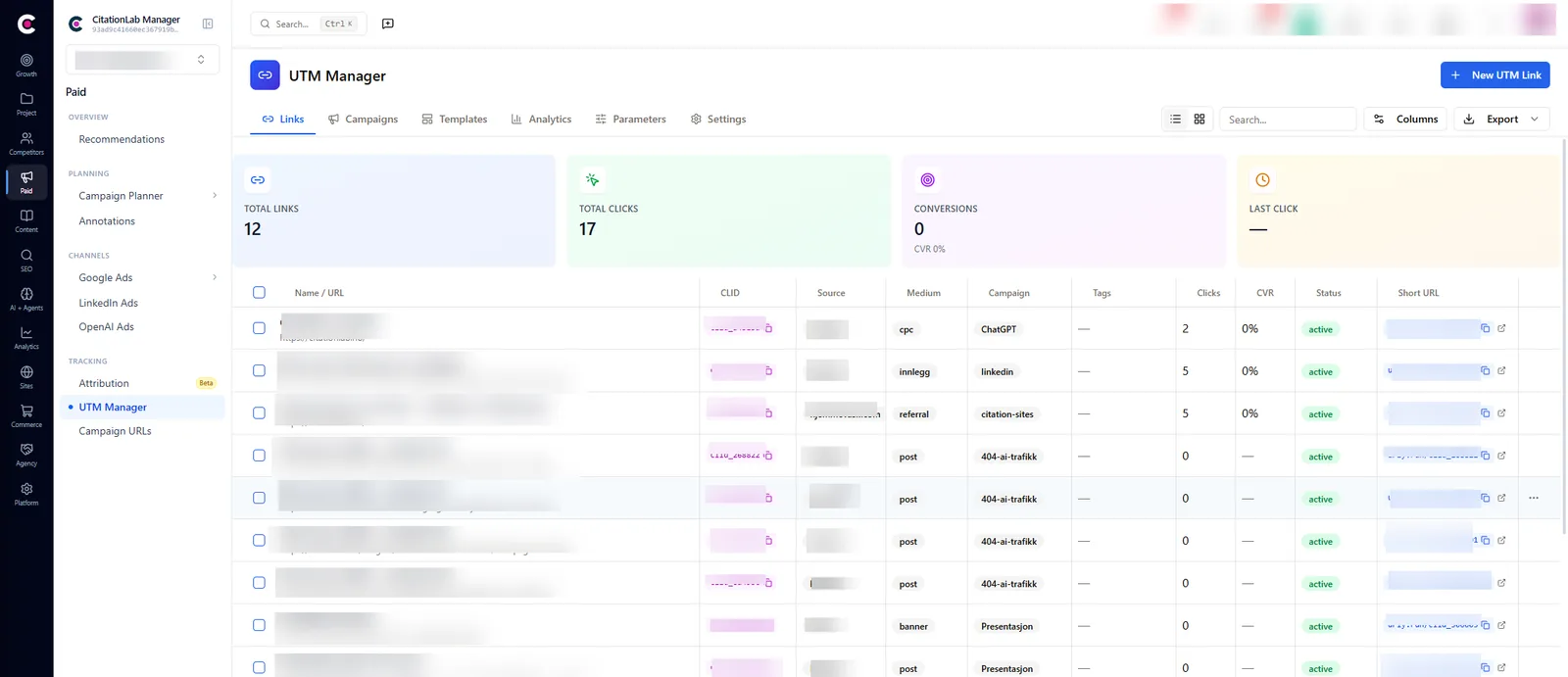
The UTM Manager builds tracking links with consistent parameters, a short URL and a QR code, and groups them under the campaigns in the planner, so clicks and conversions land on the right campaign.
From Manager
04The outcome
What it changes day to day
- You see every paid channel in one place instead of six logins
- Wasted budget is found continuously, not at the next quarterly review
- The change is made where the finding is, and logged with who, what and when
- Campaign plan, budget and actual spend stay in the same record
- AI agents can do ad work over MCP under the same rules and in the same log as people
05FAQ
Questions about ad campaigns
- Which ad networks does Manager support?
- Google Ads, Meta (Facebook and Instagram), LinkedIn Ads, Microsoft Advertising (Bing), TikTok Ads and OpenAI Ads. Mailchimp email campaigns can be connected as well. A network's page appears once its account is linked to the project.
- Which networks can I change from Manager, and which are read-only?
- Google Ads and Meta support the most changes, including creating campaigns. LinkedIn supports creating campaigns and changing budgets, bids and status. OpenAI Ads campaigns are built and published from Manager. TikTok campaigns can be paused and enabled. Microsoft Advertising is read and analysed in Manager, but changes are made in Microsoft Advertising itself.
- Can a recommendation change my account without me knowing?
- No. A finding is only applied when someone clicks "Apply", or when an automation rule you created yourself fires. Accepting a finding only marks it in Manager. Every live change is written to the action log.
- Does pausing a project in Manager stop my ads?
- No. Pausing a project stops Manager's own scheduled work. Campaigns running in your ad accounts are not affected.
- Why don't the numbers match the ad platform exactly?
- Check the date range and time zone first: ad platforms report in the account's time zone. Platforms also revise the last few days as conversions are attributed, so the most recent numbers can move.
06More modules
It connects to everything else
- AnalyticsCite Analytics, GA4 and Search Console in one place, with traffic from AI assistants, heatmaps, funnels and a measurement plan.
- ReportingKPIs that collect themselves, dashboards you can share with a link, and scheduled reports delivered by email.
- Lab BrainReads across modules, forecasts where your KPIs are heading and gives prioritised recommendations that learn from what actually worked.
- ActionsEvery finding, recommendation and change becomes a tracked action with an owner, a priority, a readable key and a measured result.
Try ad campaigns on your own site
Create an account and set up your first project in a few minutes.
Was this page helpful?