

Manager guidesArticle
Get started with CitationLab AI Marketing Manager in 15 minutes
From an empty account to your first AI visibility measurement. How to create your project, go through Strategy Hub with your data sources connected, and get your first prompts running.
Updated Published approx. 4 min read
In this article+–
Curious how AI talks about your brand?Run a free visibility check
You have started a free trial of CitationLab AI Marketing Manager. This guide takes you from an empty account to your first measurement. The goal is to get quickly to the first number that tells you something about how the AI models talk about your business, with a setup that makes the numbers mean something.
The short version: Create one project for your website and go through Strategy Hub. Connect your data sources there before you set goals. Choose one business area to measure first, and let the first prompts run. Reports and actions can wait until you have seen the first results.
What you get during the trial
The free trial lasts 14 days and gives you access to the features in the AEO Pro package. That means you can measure visibility in AI search, connect data sources, see your competitors and work on actions the same way a paying customer does.
One limit is worth knowing from the start: during the trial, each prompt can run against one AI model and one search engine. So choose the model your customers are most likely to use, usually ChatGPT, and Google as the search engine. You can add more models when you choose a plan.
Step 1. Create the project
After you sign up, you land on the welcome page. Click Create your first project. A project is one website, and everything you measure and do is collected there.
- Project name: the name of the business or website.
- Domain: the domain without https, for example yourcompany.com.
- Location, Language and Currency: set them to the country you sell in, the language your customers search in and the currency you report in.
Click Create & Set Up, and Strategy Hub starts.
Step 2. Go through Strategy Hub
Strategy Hub is the setup in Manager. Here you tell Manager who your business is, who you sell to, what you want to achieve and who you compete with. Everything Manager later measures and suggests is judged against what you enter here. It has 15 steps in four parts, and you can skip a step with Skip and come back later.
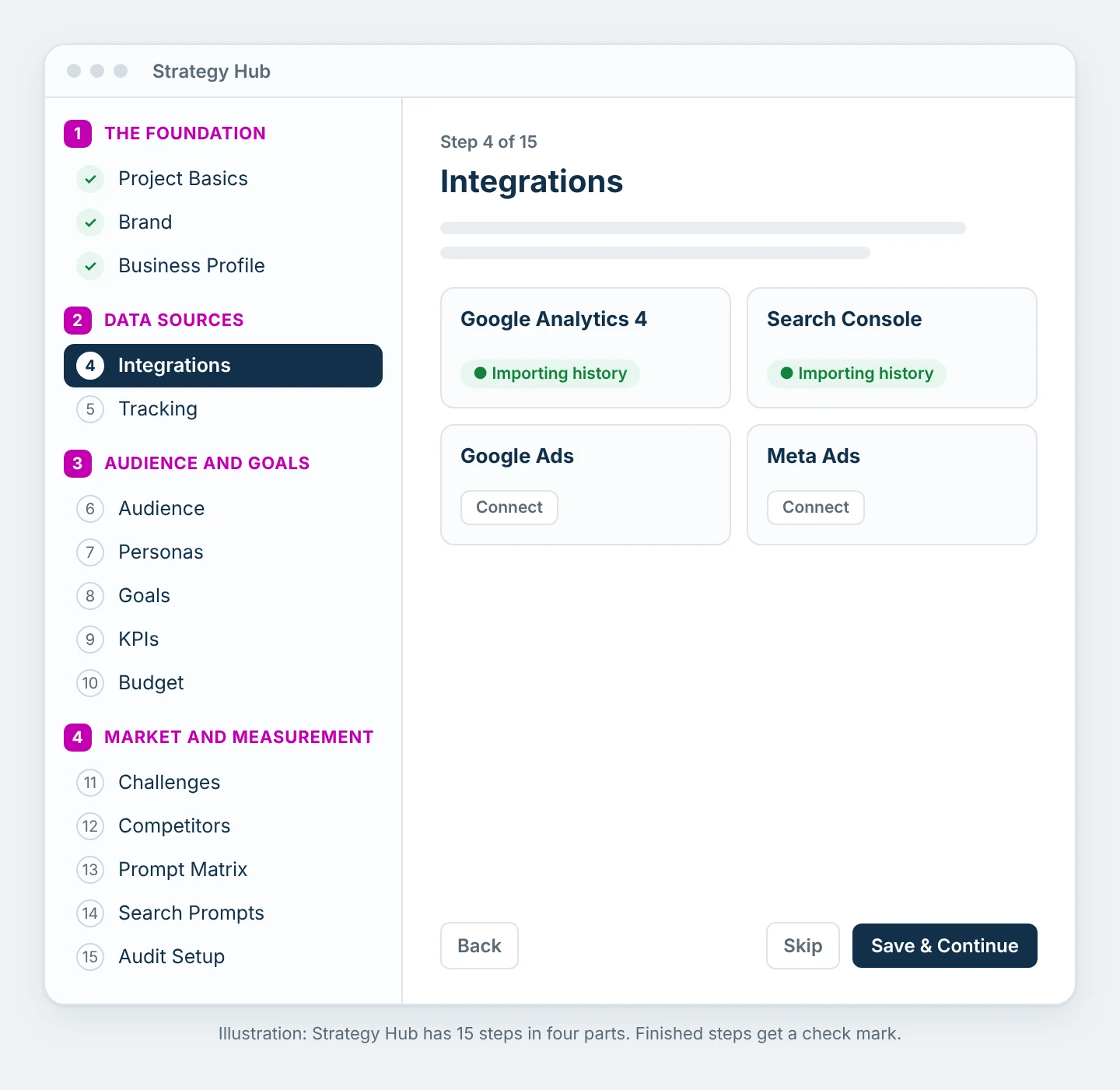
Four steps are worth spending most of your time on:
- Business Profile: a short, precise description of what you sell and to whom. Only check the services you actually work on now. Those are what the prompts and recommendations are built on.
- Integrations: connect Google Analytics 4, Search Console and your ad accounts. Do it before you set goals, because goals, KPIs and personas are suggested from your own numbers. The history is pulled in right away.
- Goals: a goal is the movement in one measured number, from today's value to the target value by a date. Then progress is calculated automatically.
- Prompt Matrix: here you enter the product or service groups you want to measure, and Manager creates the prompts from them.
When you choose Save & Return to Strategy in the last step, Manager runs the analyses in the background and creates a first strategy draft. You don't need to wait for this before you move on. All 15 steps are explained in How to set up Strategy Hub.
Step 3. Choose one business area to start with
The most common mistake during the trial is trying to measure everything at once. You end up with lots of numbers and little insight. Start with one product, one product group or one service area, and choose the one that matters most for revenue. We have written a separate guide on how to choose: Choose your first business area.
Step 4. Set up the prompts
The prompts are the questions Manager asks the AI models on behalf of your customers. They decide what the measurement actually tells you. Keep most of the weight on questions that don't include your company name, because that is where you see whether AI recommends you while the customer hasn't made up their mind yet. Read more in How to write prompts that actually measure something.
You find the prompts under AI + Agents and Prompts. If you don't want to wait for the next scheduled run, select the prompts and choose Run Now.
Step 5. See the first results
When the first runs are finished, the results show up in the AI Monitor module. There you see how often you are mentioned, which sources the AI models cite and which competitors show up instead of you. We explain how to read the numbers in How to read the visibility measurement.
This can wait until later
Manager has many modules, and it is tempting to click through all of them. These can wait until you have seen the first measurement:
- Actions and recommendations from the measurement
- The Chrome extension
- Reports for management or clients
We cover all of this in the next guides in the series.
Next guide
Frequently asked questions
How long does the free trial last?
The free trial lasts 14 days from when the account was created.
How long does it take before I see the first results?
New prompts are picked up by the next scheduled run. If you want to see results right away, use Run Now on the prompts.
Can I measure more than one website?
Yes. Each website is a separate project. During the trial we still recommend starting with one, so you get a clear picture before you expand.
Do I lose my setup when the trial ends?
If you choose a plan, everything continues without interruption. Your prompts, measurements and history are right where you left them.
Was this page helpful?